
Download Russia TV – Free Online TV Streaming for Windows, Mac & Mobile
Experience the Best of Russian Television – Anytime, Anywhere
Looking to stay connected with Russian media, culture, and entertainment? Russia TV is your ultimate gateway to the most popular Russian television channels, all accessible directly from your computer or mobile device. Whether you're a Russian expatriate, a language learner, or simply curious about Russian programming, this app delivers a seamless streaming experience with no hassle. The software is designed specifically for Windows users but also offers compatibility with Mac, Android, and iOS, making it one of the most versatile tools in the online TV space.
What sets Russia TV apart is its ability to let you rewind live broadcasts up to 14 days, allowing you to catch up on missed episodes of news, talk shows, dramas, or sports events. No more missing your favorite programs due to a busy schedule. The interface is clean and intuitive, with a simple navigation menu that lets you browse channels by category—news, entertainment, sports, children’s programming, and more. With just a few clicks, you can start watching your preferred content in high-quality streaming, all without the need for a cable subscription or complex setup.
Security and privacy are top priorities. The app uses encrypted streaming protocols to ensure a safe viewing experience, and it does not collect or share personal data. Whether you're using a home computer, office laptop, or mobile device, Russia TV runs smoothly and efficiently, consuming minimal system resources. It’s perfect for users who want a reliable, free, secure, and up-to-date way to enjoy Russian TV content from anywhere in the world.
Key Features That Make Russia TV a Must-Have Streaming Tool
Russia TV is packed with features designed to enhance your viewing experience and make it one of the most user-friendly online TV platforms available today. One of the standout features is the 14-day rewind function, which allows you to go back and watch programs that aired within the past two weeks. This is particularly useful for catching up on news segments, political debates, or popular series that you may have missed during their original broadcast.
Another major advantage is the multi-platform compatibility. While the app is optimized for Windows, it also supports Mac OS, Android, and iOS devices. This means you can switch seamlessly between your desktop, tablet, or smartphone without losing your place. The app automatically adjusts the interface based on your screen size, ensuring a consistent experience across devices.
Streaming quality is consistently high, with adaptive bitrate technology that adjusts based on your internet speed. You’ll enjoy smooth playback even on slower connections. The app also includes a built-in playlist feature, so you can save your favorite channels for quick access. Additionally, Russia TV offers no ads during playback, which is a rare and welcome feature in free streaming apps. The software is lightweight, updates automatically, and requires minimal storage space—perfect for users with older computers or limited disk capacity.
For those interested in learning Russian, the app serves as an excellent language immersion tool. Watching real-time broadcasts helps improve listening comprehension and exposes you to authentic pronunciation, idioms, and cultural references. Whether you're a casual viewer or a dedicated fan of Russian media, Russia TV delivers a rich, engaging experience that’s hard to match.
How to Install and Use Russia TV – Simple Steps for All Users
Getting started with Russia TV is quick and straightforward, even for users with little technical experience. First, visit the official website and download the appropriate version for your operating system—Windows, Mac, Android, or iOS. The download is free, secure, and virus-free, ensuring your device remains protected from malware or unwanted software.
Once downloaded, locate the installer file and run it. Follow the on-screen prompts to complete the installation process. The app will guide you through a brief setup wizard, where you can choose your preferred language and select your default playback settings. After installation, launch Russia TV from your desktop or app menu.
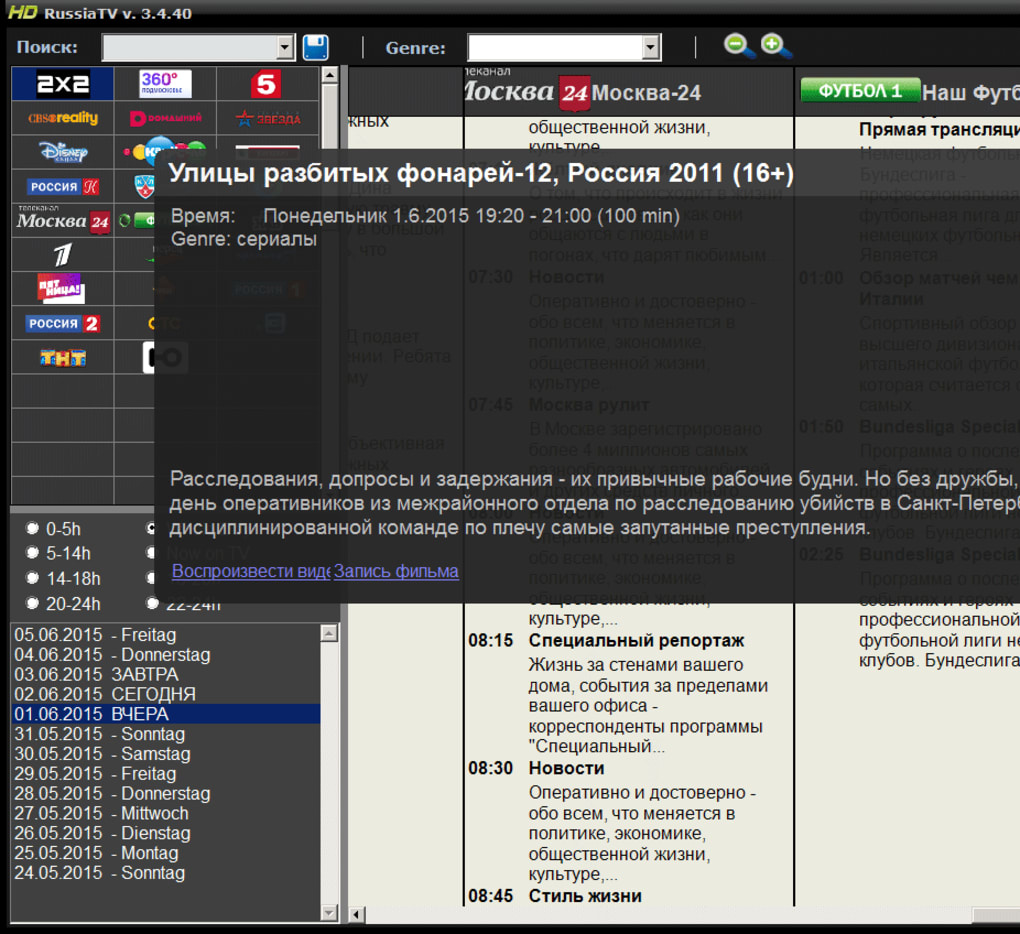
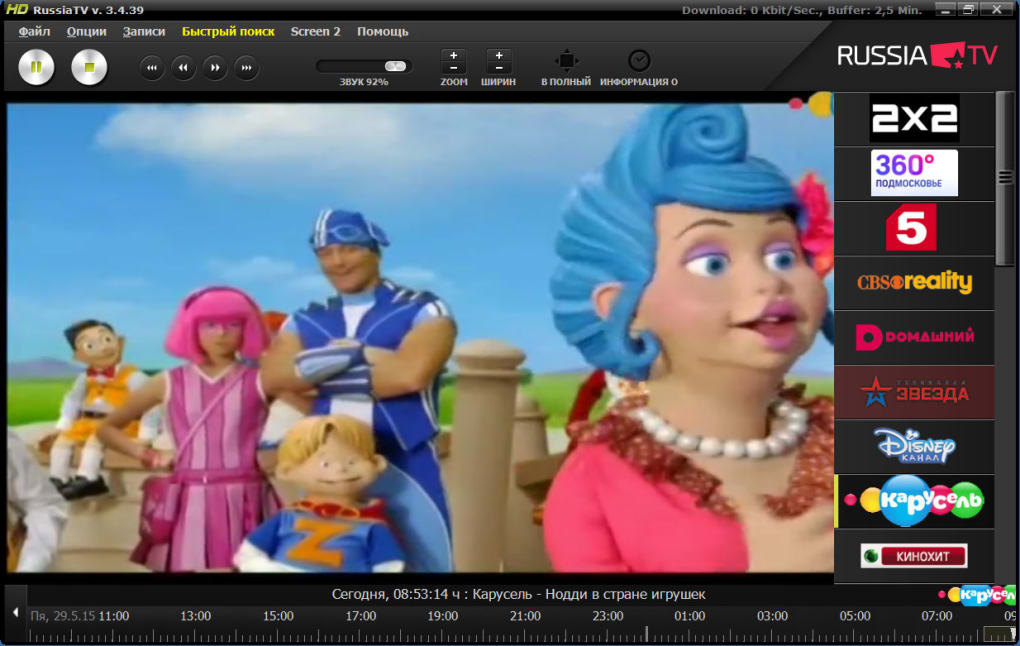
Upon opening, you’ll see a clean, organized interface with a list of available channels. Use the search bar to find specific programs or browse by category. Click on any channel to start streaming instantly. The app supports keyboard shortcuts for common actions like play/pause, volume control, and fullscreen mode, making navigation effortless. You can also use the built-in playlist feature to save your favorite channels for future viewing.
For optimal performance, ensure your internet connection is stable and at least 5 Mbps for HD streaming. The app will automatically detect your connection speed and adjust the video quality accordingly. Regular updates are pushed through the app to improve stability, fix bugs, and add new channels. You can enable automatic updates in the settings to always have the latest version without manual intervention.
Compatibility & System Requirements
Russia TV is designed to work across a wide range of devices and operating systems, making it accessible to the broadest possible audience. The software supports Windows 7 and later versions, including Windows 10 and Windows 11. For Mac users, the app is compatible with macOS 10.14 (Mojave) and later, including Apple Silicon (M1/M2) Macs, ensuring smooth performance on modern Apple hardware.
Mobile users aren’t left out either. The Russia TV app is available on the Google Play Store for Android devices and on the Apple App Store for iOS users. The mobile version offers a touch-optimized interface and supports screen mirroring for larger displays. It also includes background playback and battery-saving modes to extend usage on smartphones and tablets.
System requirements are modest, making Russia TV suitable for both high-end and older devices. The app requires at least 500 MB of free disk space, 2 GB of RAM, and a stable internet connection. It runs efficiently on machines with Intel Core i3 or equivalent processors. No special hardware or additional software is required—just install, launch, and enjoy.
For users who prefer a web-based solution, Russia TV also offers a browser version that works on Chrome, Firefox, Safari, and Edge. This allows you to stream content without installing any software, ideal for temporary use or shared computers.
Pros and Cons at a Glance
- Pros:
- Free to download and use with no hidden fees
- 14-day rewind feature for catching up on missed shows
- Supports Windows, Mac, Android, and iOS devices
- High-quality streaming with adaptive bitrate
- No ads during playback – a rare benefit in free apps
- Lightweight and efficient, low system resource usage
- Automatic updates for security and performance
- Great for language learners and cultural exploration
- Cons:
- Some channels may be region-locked due to licensing
- Not all channels are available in HD quality
- Occasional buffering on very slow internet connections
- Mobile app lacks advanced customization options
- Customer support is limited to FAQs and email
Frequently Asked Questions (FAQ)
Is Russia TV free to download and use?
Yes, Russia TV is completely free to download and use. There are no subscription fees or paywalls. The app is supported through non-intrusive advertising and optional premium features, but the core streaming functionality is available at no cost.
Can I watch Russia TV on my mobile device?
Absolutely. Russia TV is available on both Android and iOS devices. Simply download the app from the Google Play Store or Apple App Store, install it, and start streaming your favorite Russian channels on the go.
How far back can I rewind live TV on Russia TV?
You can rewind live broadcasts up to 14 days. This feature is ideal for catching up on news, talk shows, sports events, or popular series that aired recently.
Does Russia TV require a strong internet connection?
While a stable internet connection is recommended, Russia TV uses adaptive streaming technology to adjust video quality based on your bandwidth. A minimum of 5 Mbps is suggested for HD playback, but lower speeds will still allow smooth viewing in standard quality.
Is my data safe when using Russia TV?
Yes, Russia TV uses encrypted streaming protocols to protect your data. The app does not collect or share personal information, ensuring a secure and private viewing experience.
Final Thoughts: Why Russia TV Is Worth Your Time
If you’re looking for a reliable, free, and secure way to enjoy Russian television, Russia TV stands out as a top choice. With its intuitive interface, 14-day rewind feature, and support across Windows, Mac, Android, and iOS, it offers unmatched flexibility and convenience. Whether you're reconnecting with your roots, learning Russian, or simply exploring new content, this app delivers a rich, immersive experience.
While it has minor limitations—such as occasional region restrictions and basic mobile customization—it far exceeds expectations for a free streaming tool. The lack of ads, automatic updates, and excellent performance on older systems make it a standout option in a crowded market.
Download Russia TV today and start streaming the best of Russian TV from your computer or mobile device. It’s free, secure, and ready to use—perfect for fans, learners, and curious minds alike.







